 STEER
Free CarPlay app for coding agents
Your coding agents shouldn't stop when you drive.
Hear Claude Code and Codex prompts in CarPlay. Answer by voice. Your phone stays in your pocket.
Download on theApp Store
Free. No sign-up.
Answer by voice
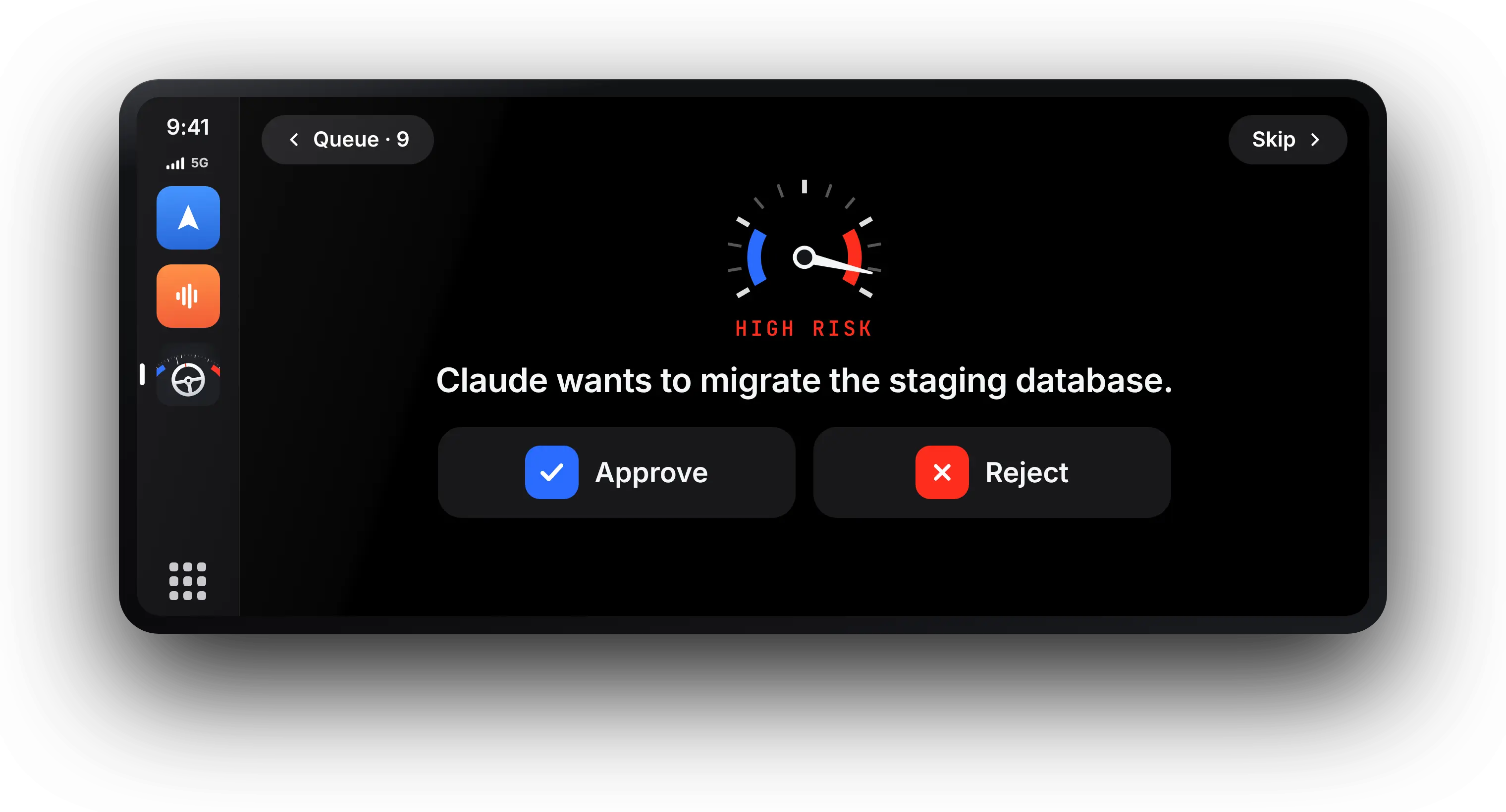
Each prompt is read aloud in CarPlay. Say "approve", "reject", or what to do instead.
Put the phone down
Use CarPlay, not your phone, while you drive. Phone in your pocket, eyes on the road.
Works with your agents
Claude Code and Codex on your Mac, plus Claude cloud sessions.
Free and private
No sign-up, no ads, no tracking. Only the prompt leaves your Mac.
Set up in two minutes.
Install Steer
Free on the App Store.
Run one command
Paste it in Terminal on your Mac.
Drive
Open Steer on CarPlay. Prompts come to the car.
FAQ
How do I approve Claude Code prompts while driving?
Install Steer, connect your Mac with one Terminal command, and open Steer on CarPlay. Prompts are read aloud and you answer by voice. More in the guide.
Do I need to touch my phone?
No. In the car everything happens on the CarPlay screen and by voice. Your phone can stay in your pocket.
Does it work with Codex?
Yes. Codex on your Mac uses the same hook as Claude Code.
What if I don't answer?
After 10 minutes the prompt goes back to your Mac, as if Steer weren't there.